
If you’re looking to save time and stretch your reach, a webinar is the perfect tool.
They are a vital part of anyone’s content marketing strategy.
Webinars have had tremendous success in engaging audiences with content delivered from any device – all without requiring attendees to be physically present on site!
There are tons of webinar services on offer and we will look at some of them today.
Some Digital Data
A recent report showed that 97% of people say they like or love using video for training because it’s more interactive than traditional methods (video).
Webinars offer business owners and marketers the opportunity to generate lots of serious leads with just a few hours of activity.
Not only will you get more leads, but webinars are also a great way to engage and inform your audience.
In 2020, the number of organizations and businesses which used the ON24 webinar platform alone to host webinars grew by 162%.
Out of all the webinars held on the platform, one-quarter of a million of those webinars hit the internet, and 100,000 of those virtual events hosted more than 100 participants.
The webinar market, when compared with other digital marketing strategies, isn’t over-saturated.
It is a growing industry that has seen a rise of $547 million in 2015, and it’s projected to reach $800 million by 2023 — which is a 46.2% increase.
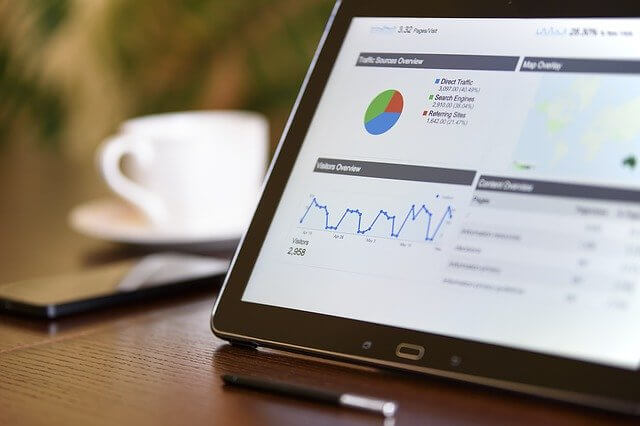
With many people working from home, video conferencing will continue to rise, which may surpass the $800 million mark before 2023.
Even more impressive is the 290% growth in webinar content consumption.
More than 61 million hours of content were binged in 2020.
The above statistics show that webinars help you reach a wider audience and give your audience the choice to communicate directly with you and access these contents at their own will.
They get to choose those events that are worthwhile and binge on them whenever they want.
If you’re new to the webinar industry and want to know what it’s all about, this article will cover everything you need to know.
About 42% of marketers say they plan to host or participate in a webinar in 2021.
You should consider joining them to use this marketing strategy.
What Is Webinar Marketing?
The term webinar was derived from “web seminar.” Webinars are lectures, workshops, or video presentations hosted online, usually on a webinar platform or software.
These online events are highly interactive presentations or conferences that are business-related and can be used as a form of marketing.
The things you can use webinars for are endless.
You can use it to build an audience, become an authority in your field, demonstrate services and products, build relationships, showcase expertise, use it for internal team meetings, and lots more.
If you’re a marketer, you can use webinars as a lead generation tool to provide your audience with valuable information.
This can be done in the hope that they will upgrade their services or pay for a product that your business offers.
These events help presenters connect with their participants, and the presentations usually follow up by a Q&A session.
Benefits of Webinars
- Webinars increase your reach and help you to capture a wider audience.
- More consumers will see your service and products and engage with them.
- Your presentation may impress your audience and improve their likeness to convert.
- A webinar is a great way to start a conversation with a prospect.
- Your audience feels in charge of the whole process because they can engage with your offer in their preferred way.
How to Find a Great Webinar Topic
One of the first things you need to do when starting up a webinar marketing campaign is coming up with an appropriate topic.
You can find one by:
Mining your blog for popular topics that might make good webinars.
If people are interested in it or have questions about, then they could be willing participants.
Checking through customer service and social media pages so as to see what interests them most; this will help gauge which way their attention would go over best during a live show presentation.
Asking your current customers for topics they would like to learn about.
Research is a key digital marketing strategy.
Finally, come up with a catchy title!
Types of Webinars
There are several types of webinars you can use to reach a wider audience.
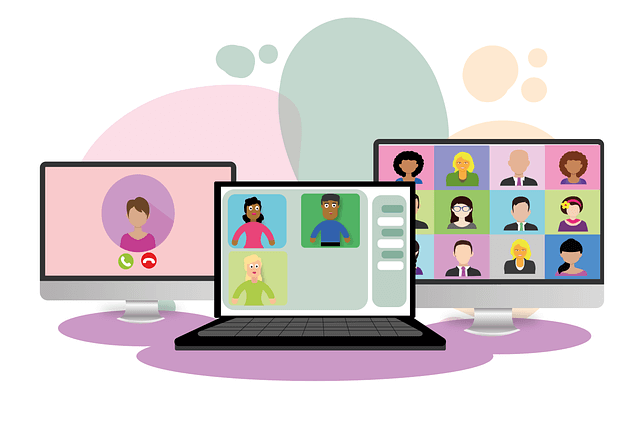
The popular types of techniques and content are categorized by the goals you can achieve with them.
Slideshows
If you intend to educate your audience, your webinar presentation should be accompanied by educational visuals to present the information you are conveying.
Whiteboards
When discussing a complex topic, you can use a whiteboard to better explain the topics.
You can use Images, charts, or maps to explain various concepts while your audience follows your thought process.
Polls
You should use polls to gather stats and information from your audience.

You can set it to be public or anonymous, and your audience can see the results.
Live videos
This webinar type can be very personal.
If you want to build a relationship with your audience or conduct a team meeting, you can use a live video to show your organization or business’s “human side.”
This webinar type is also useful if you want to present a physical product.
Pre-recorded webinars
If you intend to host a specific event more than once or regularly, you should use a pre-recorded webinar.
This event is suitable for all industries; you can create a well-polished presentation to make your current and future audience happy with their experience.
You can run a live chat and answer their questions while the pre-recorded webinar is ongoing.
This option is good for events where you have a guest speaker who may be unavailable for later sessions or when you’re hosting training webinars for staff or customers regularly.
Screen sharing
If you already have your presentation, slide show, or images ready to demonstrate a step-by-step process, you should share your screen.
This will help your audience see what you’re doing and follow along.
Webinar types by purpose
Educational
If you intend to run an educational webinar, it is best practice to have a whiteboard video and sides to use.

Product webinars
You can get more leads, nurture them, and convert them to leads using a product webinar.
When you have a new product to showcase, you can host a webinar where you present the product in detail instead of hosting a physical event.
This way, you can have real-time feedback on your product.
Onboarding
If you have a new software you want to teach your users how to use, an onboarding webinar would be the best option for that event.
Ensure that you make the learning curve as simple as possible.
Team meetings and employee training
You can run webinars to train your employees and for team meetings.

It’s not only limited to converting leads.
If you have remote teams or several employees, webinar training is the best way to talk to your employees.
Best Practices
Here are a few webinar tips that will help you run a successful webinar.
Choose the right title, topic, and format
This should be one of the first things you do before you start your webinar marketing.
If you’re finding it hard to get a topic, ask yourself, “What’s the most important topic in my industry right now?”
Check for popular topics from your blogs or topics that your audience may be interested in.
You can also check out trending topics on social media and traditional news outlets.
When you have gotten a topic of interest, you can finally write a catchy title.
Choose a qualified presenter and team
To create a well-polished presentation, you will need the help of others.
You will need a qualified presenter with good charisma.
Someone who isn’t afraid of public speaking, can handle the pressure of presenting, and can answer tough questions.
You can have more than one presenter.
Then, you need a team or an assistant who can answer the chats and questions while the speaker is presenting.
If you are finding it hard to organize everything yourself, you can outsource your webinar’s content creation and technical part.
Plan your content
Even though you intend to outsource your content creation, you must have a clear outline for your seminar that is engaging.

An outline will help the presenter run through subjects and deliver on your promise without going off point. Here are things you should keep in mind:
- A webinar lasts about 40 to 60 minutes, so create an outline to cover the time frame.
- Start your presentation by complementing your audience, ask them which state or country they are in, and you’ll instantly create engagement.
Prepare your environment
Ensure that your equipment is working, your environment is professional and no walks in during the presentation.
To minimize technical issues, check your internet, laptop charger, and every connection to ensure that everything is set before you go live.
If you are going to share your screen, do not have unnecessary tabs open.
Schedule your webinar
According to ON24, the best time to schedule a webinar is 10 a.m. or 11 a.m. GMT mid-week – Wednesday or Thursday emerge as strong performers.
However, there is no perfect time or day for a webinar.

You can schedule your event based on your goals and your audience.
Always keep in mind that there will be people from other time zones, so find a balance.
Promote your webinar
Once you have gotten everything ready, you need to promote your webinar for people to register.
You could create a landing page with an invitation that encourages people to sign up and outline everything you’ll address in the event.
If you have a large following on social media, you can share the link to your landing page on your social media pages.
Post on groups, advertise using paid promotions or place a banner on your website or blog.
Before you host your first webinar, practice!
When you practice how it will be like, it will be easier for you to sound convincing during the main event.
Also, get your team prepared and avoid last-minute preparation so that you don’t become stressed.
Don’t let anything distract you when you are ready to start. Stick to the plan and outline, and you’ll host a great event.
Once the webinar is over, always follow up.
Send the recording of the webinars, ask for feedback and provide your audience with additional resources.
Email Marketing Follow Up
Ok, so you held your webinar and it went well but how are you going to get more leads to join your program or boost conversions overall?
Email marketing is how.
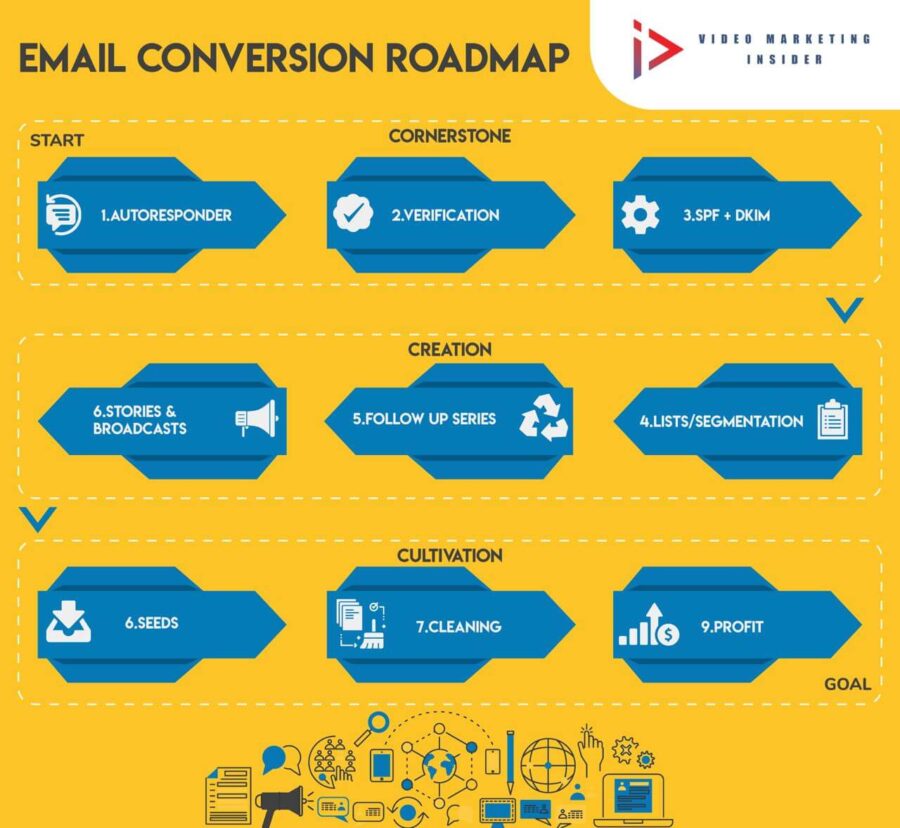
This is one of the best practices for any digital marketer.
People might have had to leave the webinar mid way through or been unable to join due to unforeseen reasons.
Others missed it entirely.
A quick look at the dat or analytics will tell you some vital insights as to how you did.
But the most important data point is ROI and Email marketing is proven to increase that so get your writing cap on and get in your prospect’s inbox.
Along with email marketing, you can also connect with prospects on social media to get a better result from your marketing efforts.
Tech Matters
Technology has become more and more important for any business, but many people still don’t put enough focus on it.
Make sure you take care of audio quality with a high-quality microphone or headset to help connect your video feed in the webinar environment.

If you haven’t done this before; practice!
You’ll want to make sure that every attendee is getting what they need from your material so run some tests beforehand (even just between yourself).
Get comfortable switching back-and-forth seamlessly during presentations without missing out on information or taking too long at any one point.
And when we’re talking about slides?
They work differently than in seminars where attendees might leave them up as reference points while conversing.
With webinars, you need to transition between slides quickly.
Presenting
There are many pitfalls when presenting in a webinar, but do not worry because you can avoid them all.
The first step is to keep your graphics clear and easy to understand so that the audience does not have any difficulty reading it from their computer screens.
Keep language simple and straightforward as there may be people watching who come from various parts of the world where English might not be their native tongue.
This can cause confusion if too complicated words or phrases were used.
Near the end of your presentation, make sure you pitch what they just learned by showing how this new information will help them solve some problem with an available solution for purchase .
Don’t let interruption break flow and destroy your efforts
Learn from any mistakes and run the session multiple times so you improve and work towards a better roi.
What are the best platforms for webinars
There are tons of solutions out there.

Some brands are more well known than others or have stronger social media presence.
In the rest of this blog post, we will look at some of the best webinar solutions and see what is best for you in your industry to move you forward with your webinar content marketing.
Demio
Demio is like the coolest kid in school.
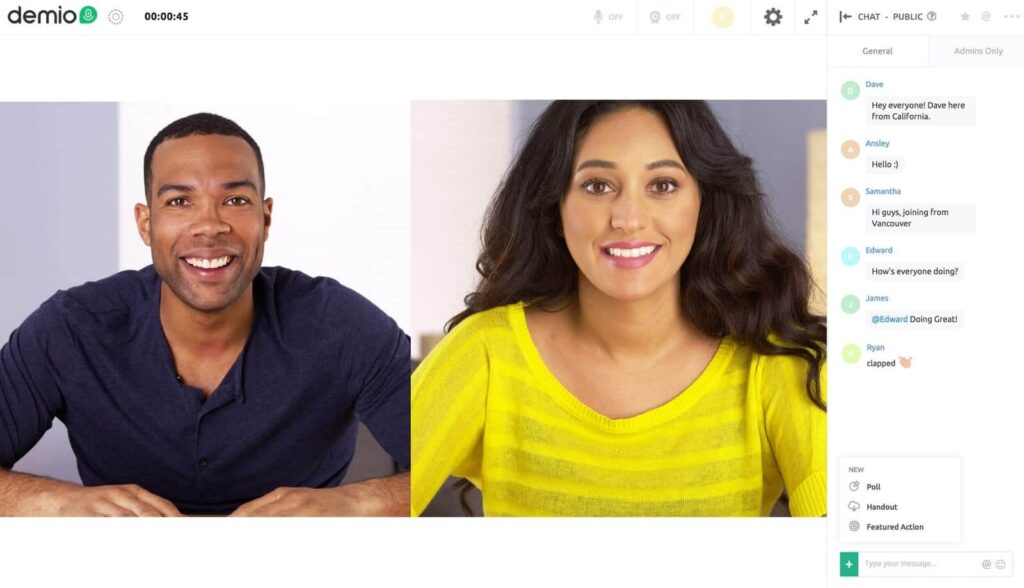
They have an impressive list of customers that use their hassle-free webinar software to market themselves and teach others about how they can do it too!
It has one of the best looking, most user friendly platforms out there for running your next successful webinar with ease.
• Automate existing live webinar recordings
• Create custom email follow-ups that automatically send to leads after the webinar
• Increase engagement with polls and quizzes for attendees during a webinar
• Allow attendees to view slides or share videos right inside Demio
• Beautiful, high-impact designs and templates built in
The Demio Starter plan comes to $49 pm.
The Growth plan is $99 pm., while their Business plan is $234 per month.
Decent value for money in our opinion and I am a happy customer of theirs.
GoToWebinar
If you’re looking for an awe-inspiring webinar platform, then look no further than GoToWebinar.
With a free $300+ account to their sister service GoToMeeting and over 50K customers worldwide, they are the leader in online meeting software!
You can customize your registration pages with ease as well as view excellent analytics on how many people came to each session or when attendees left.
Whether you need help doing your first webinar or managing thousands of participants every week – go ahead and try them out today because there’s nothing like it!
• Be more productive by managing your webinar with ease
• Track attendance and engagement in real time
• Add excitement to your event with drawing tools
• Include a video on the screen for viewers to watch without downloading it separately.
Stealth Seminar
StealthSeminar makes it easy to autopilot your webinars.
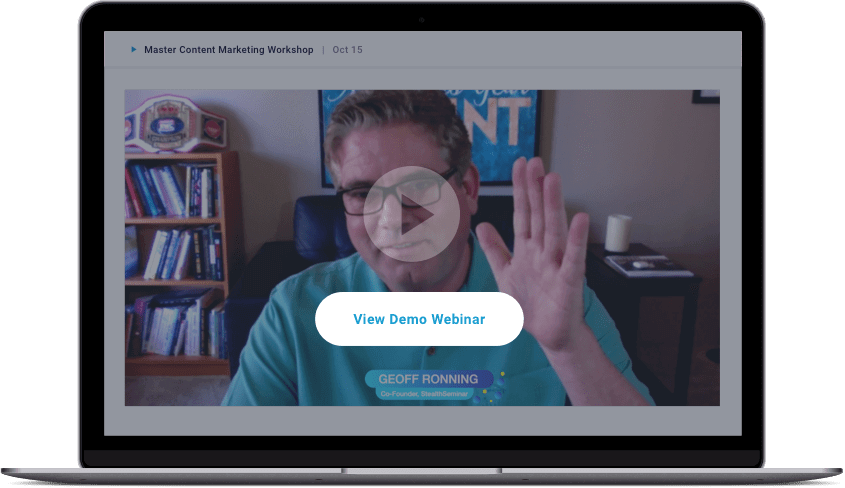
They allow pre-recorded sessions that can be run as if they are live, so you don’t have any technical difficulties and no worries about presentation nerves.
They also offer a 30 day trial!
StealthSeminar is the best way to keep your webinar attendees engaged.
In addition to automated email reminders, you can send SMS notifications for no extra cost!
You get up to 6,000 free messages per month on their $69.95/month Starter plan and unlimited text messages when upgrading at just a few dollars more:
Their Growth Plan starts at only $135/mo .
A great feature is StealthReminders that sends an SMS reminder 5 minutes before your Webinars start.
Remembering becomes much easier-just in time too because they know everyone gets busy from time-to-time.
Check out Stealth Seminar here.
WebinarJam
WebinarJam is a webinar platform that was completely rebuilt in February 2020.

They focus on using webinars to sell, but you can use it for anything!
Their software has the ability reach up to 5,000 people so if your audience is larger than this number – Webinar Jam may be the best option for you.
People are able join from any device (desktop, phone or tablet) and there should never be an excuse not show up as they have several cool features including the Drawing Board where screen annotations and drawings can be easily made.
• Secure your leads with registration forms that are pre-filled before they even register
• Create an interactive webinar experience by adding polls and surveys to your presentation.
• Offer downloadable handouts seamlessly integrated into the presentation for your attendees
• Collect email addresses on the spot so you can stay in touch from now until eternity – or at least next week, whichever comes first.
• Convert registrations to sales using countdown timers and limited unit amounts to increase revenue
• SMS follow up capability
• No need to download nor install
Try out the Everwebinar and Webinar Jam bundle.
EverWebinar
EverWebinar is a webinar software that enables you to create automated, evergreen webinars.
Hosts who use this service have the ability to answer questions live from other viewers in real time while they are running through autopilot.

And can convert their WebinarJam recordings into an even greater Everwebinar by adding chat features like polls or offers at every interval of your event.
Just as though it were being done “live” on air.
The cost for using EverWebinar is $499/year.
If running webinars is going to be an integral part of your digital marketing strategy, then the annual plan is attractive.
Try out the Everwebinar and Webinar Jam bundle.
ClickMeeting
ClickMeeting is a great webinar platform for all your needs.
They have over 150,000 customers and they are browser-based so it will work with any device!
You can even host meetings where you everyone can speak on their platform because of the live chat feature.
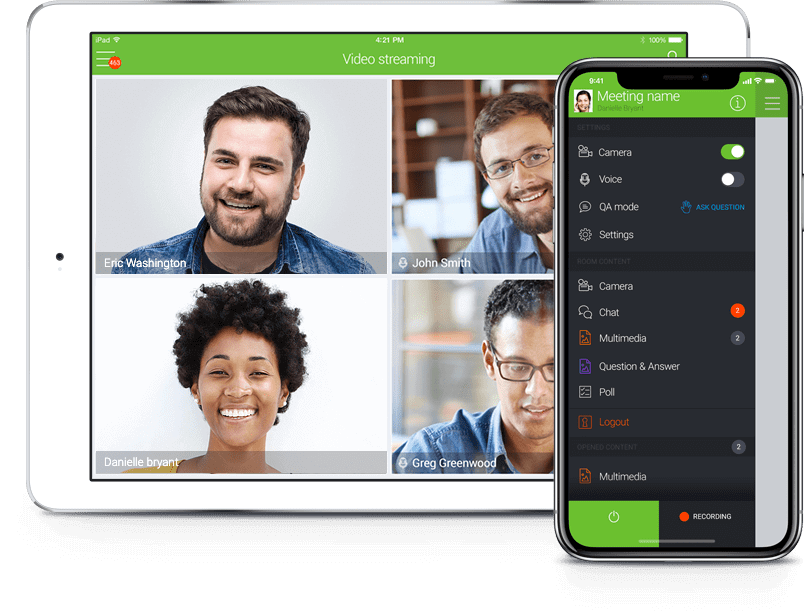
This allows audience members to ask questions in real time or share content from other applications like PowerPoint slideshows if desired.
Pricing starts at $25/month which includes 25 attendees but goes up to $40/month depending on features needed such as automatic thank you emails and more advanced automation tools.
Everytale
Everytale is a versatile digital platform for streaming high quality videos and organizing virtual events.
They host business conferences and features amazing educational video streams.

- Accessible across five continents, Everytale allows you to connect with thousands of people with a single click.
- Powered by artificial intelligence, the event hosting platform is a robust tool with a diverse set of features.
- Video streams are available in 4k high definition and multiple languages.
- There are various interactive tools that give you the power to moderate and control your streams.
- Options available for multiple screen sharing and interactive pre-event and post-event polls.
Everytale also offers event analytics to event organizers and viewers.
This allows users to host professional events and make important event decisions based on hard data.
Webinar Software Questions Answered
Here are some frequently asked questions about webinars, plus our best attempt at an answer.
What Is Webinar Software?
Webinar software is the best way to host a presentation in front of an audience.
Webinars are one-to-many presentations, which can be used for education or instruction purposes as well as sales and promotion endeavors.
Presentations live and recorded may have at least one person hosting it who has access to video content along with tools like chat room web cams where they interact with their audiences.
How Do I Choose The Best Webinar Software?
The five most important factors you should consider when choosing the best webinar software are:
- Attendee Limitations: How many people will join you for each webinar?
- Webinar Duration: How long will your presentation be?
- Follow Up System: Can you send pre-webinar and post-webinar email and SMS notifications to get more of your registrants to attend?
- Price: How does the price compare to number of attendees that registered with this company before.
- Unique Features: Are there any features on offer from a certain platform which would make it stand out above competitors, such as polling or clickable offers etc.?
The Difference Between Zoom Meetings And Video Webinars?
Zoom Meetings are designed for collaborative events.
Participants can screen share, turn their video and audio on/off, and see who else is attending the meeting.
Zoom Video Webinars puts hosts (and panelists) in the spotlight; they get to share their videos with attendees while having control of unmuting anyone at any given moment during a presentation.
What Software is Needed?
Running marketing webinars is an easy task if you have all of the necessary equipment.
With just your computer and webcam, for example, there are many free programs available to host online meetings or presentations that can be used with any number of people who will join from their own devices.
In other words: it’s not complicated!
Must I be on Camera?
If you want to run a successful webinar, it is important that your audience feel as if they have the opportunity to bond with you.
One way of achieving this goal is by being on camera for a presentation.
However, there are alternative ways available for presenting information so long as these alternatives still maintain an educational tone and appropriate volume levels.
This is so as not to disturb participants who may be listening from other rooms or outside the building altogether.
Summary
There are many webinar software companies available for you to choose from.
The company you choose will be key to your success and growth.
Your delivery and content on the other hand is what will boost conversions.
Over time, you will get better at this.
Use your analytics to learn, and conversions will grow exponentially as will roi.
If you enjoyed this article then let us know in the comments section below.