
In-feed video ads aren’t as well-known as in-stream commercials, but they provide businesses more ways to target their ideal clients.
When you search for a YouTube video on the site, you’ll see that the top one or two results have the word “Ad” in gold beneath the video’s title.
They are similar to the sponsored search results that appear on Google’s search results page.
When you’re watching a video on YouTube, you’ll see advertising in the right-hand sidebar as a related video.
The video used in these ads may be as lengthy as you want it to be.
They are an excellent method to promote lengthier videos that give your clients with more extensive information.
You might know these as YouTube discovery ads.
But they are now called in-feed video ads.
In-Feed Video Ads
It is possible to target your audience by putting your ad next to YouTube material they are likely to view.

In-feed video advertising may be found on the YouTube app’s Home page, YouTube search results, YouTube watch next, and the app itself.
Benefits
As people watch relevant videos, scroll through the YouTube Home feed, or type in a keyword to search for content, advertisements may help establish brand recognition.
Viewers are more inclined to:
- subscribe
- share
- and watch more of your videos if they feel your content is relevant to their lives.
In-feed video advertisements feature a thumbnail, a title, and up to two lines of text (depending on where the ad appears).
To view the commercial, a user clicks on the thumbnail and is sent to the ad’s YouTube watch page.

Now, in order for you to set these up, you do of course, need a Google ads account and have that all set up.
I’m not going to cover how to do that in this article.
We are going to jump right into the set up.
The Campaign
Now it doesn’t really matter which campaign objective you choose.
Just your choice will either open up or close off certain options for you.
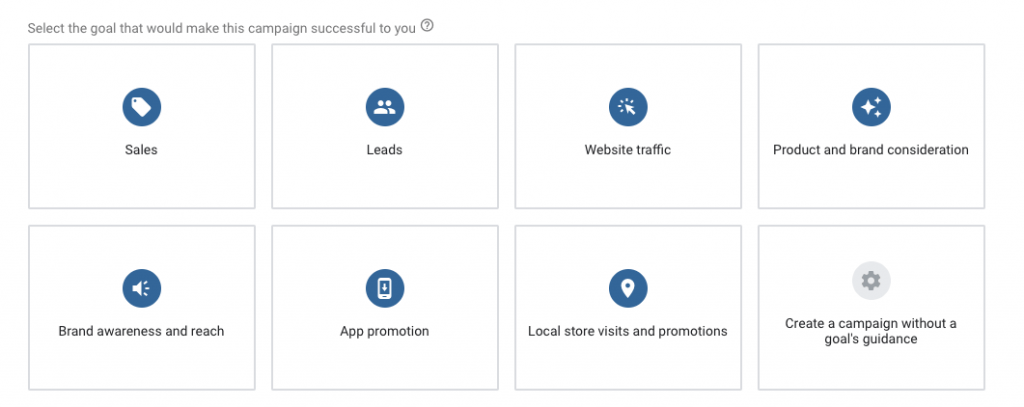
What we want to focus on right now is product and brand considerations.
If we click on this, then video should be checked by default.

Influence consideration of your products or brand with skippable in-stream ads or in feed video ads, which is what we are looking for.
Naming Conventions
We’re going to create our campaign.
Your campaign name is very important.
Why?
So that you know at a glance what your campaign is all about.
If you call it campaign one or campaign A and then you start running three or four campaigns and you come back to check stuff it‘s going to be confusing.
You’re not going to really know at a glance what campaign A or campaign one means.
No one’s going to see it apart from you, but choose a system that makes sense to you.
Bidding and Budgeting
Now with a bidding strategy, you don’t have an option, which I guess make things easier.
With this kind of ad, the way we are setting it up, you have to do maximum CPV.
This stands for Cost Per View.

So you are going to be paying every time somebody views your video.
Now, budget and dates.
You can have a campaign total or a daily total.
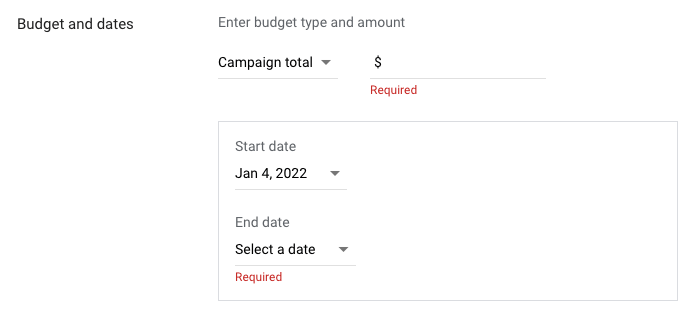
Put in what you can afford to spend.
If you can afford to spend $20 per day, understand you’re not going to make that $20 back soon.
If that’s going to put you in a tough situation and you can’t really afford it, then do not do it.
Don’t put it in there just because someone’s told you to put in a big budget.
You budget what you can afford.
Obviously, the smaller your budget, the longer it’s going to take, but you don’t want to put yourself in a bad situation.
As for dates, unless you are running a campaign whereby your video talks about a specific product, you won’t need an end date.
Just bear in mind, you’re going to have to come in and check it, because if you forget about it, the ad will continue running until you turn it off.
Networks
Now networks, my advice is to do what I show in the image below.
If we set up an ad this particular way, we don’t want them on the display network, which are other websites that Google has some kind of contract with.
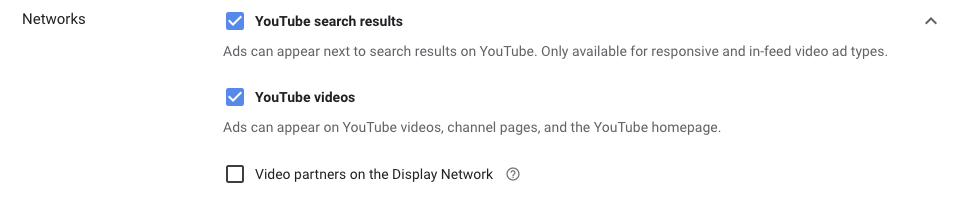
Leave the top two options both checked.
Locations
Locations is self explanatory.
You’ll have the country where you are based in your dashboard.
For me, this is Japan as that is where I am based.

So, you can target the country that you’re in, or you can enter another location.
You can target the whole world if you want.
Or go granular and target a zip/postal code.
As you actually start filling out these things, you’ll notice on the right hand side, certain things change, and it will give you the available impressions for your campaign.
The Language
Now again, languages, it’s really up to you.

There are people in the US that maybe have Spanish as their main language, but they speak in English very, very well.
My thought process now is leave it as all languages, unless you are targeting a really specific language, which is not English.
So for example, if you are targeting French speakers in Canada, then put French in.
If you’re targeting Spanish speakers in the US, then you’d want to put Spanish.
But as English is the main language, I just leave it as it is.
Inventory
Now, inventory type, I don’t really touch this.

If you click limited, then it’s obviously it’s going to limit where your ad can be shown.
Related Videos
Then we can click on related videos, which is a relatively new section.
if you read this, related videos appear below your video ad and offer an immersive video experience to help reinforce and extend your ads message.
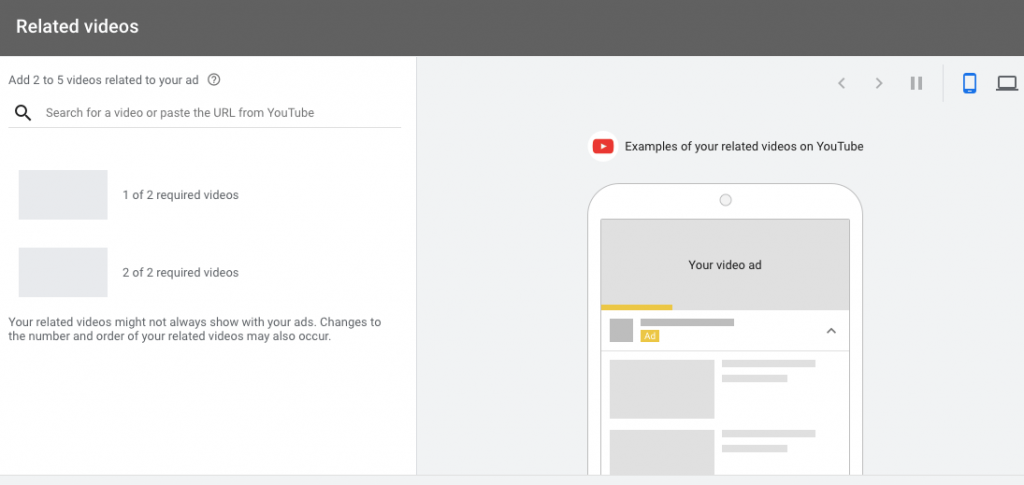
So you can potentially add a couple of videos.
Imagine that there’s a video in your niche related to your content that gets a ton of traffic.
It’s always ranked number one.
It’s really hard to outrank.
What you can do is you can paste that video in here and then your ad can appear next to that video in the suggested videos or below that video, depending on the device that somebody’s watching.
Then we have the additional settings.
Device Options
Here, you can set specific targeting.
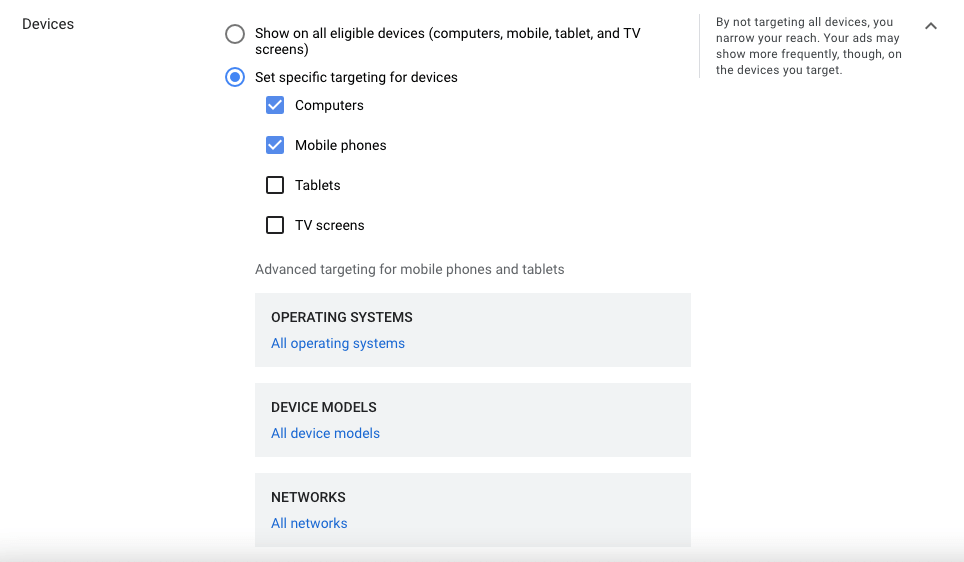
I would always turn off TV screens, because to my mind, if somebody’s watching YouTube on TV, they really rarely click on ads.
Desktops and mobiles is probably where most of your traffic’s going to be.
Now, if I were to turn off mobile phones, then I would potentially lose a lot of traffic.
Capping
I don’t worry about this too much now, but people can switch this on.

This lets you limit the amount of times an ad is shown to a specific user.
We’ve all experienced being shown the same ad time and time again.
It’s annoying.
I get that.
But it works, so you make the call whether you want to turn this off or on.
The Ad Group
We give it a naming convention as well.

Targeting
Now you’ve got your demographics, which is fairly self explanatory.
So you may want to target a specific gender age group, parental status or household income, which is not available in all countries.
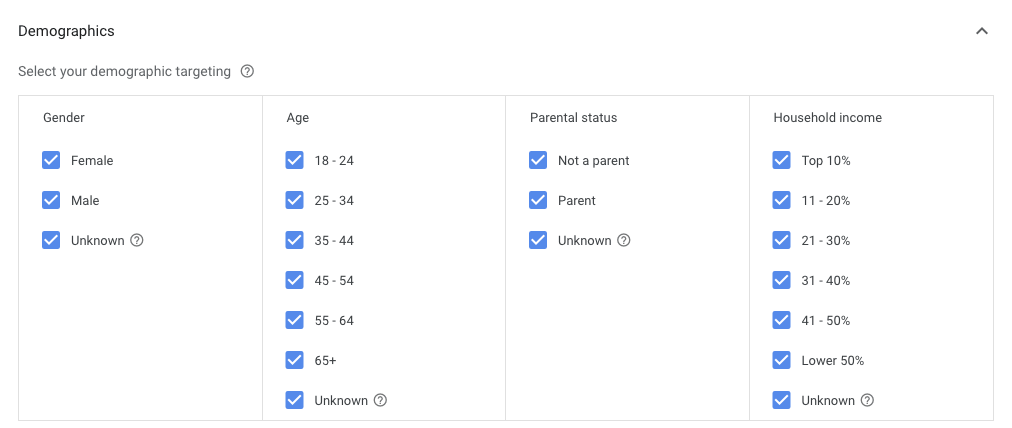
You may not be selling something directly in your ad.
But if your offer that you hope to sell eventually is relatively expensive, then it’s common sense to maybe uncheck the lower income brackets if you can.
You make the call on demographics.
From here you want to choose your extra targeting.
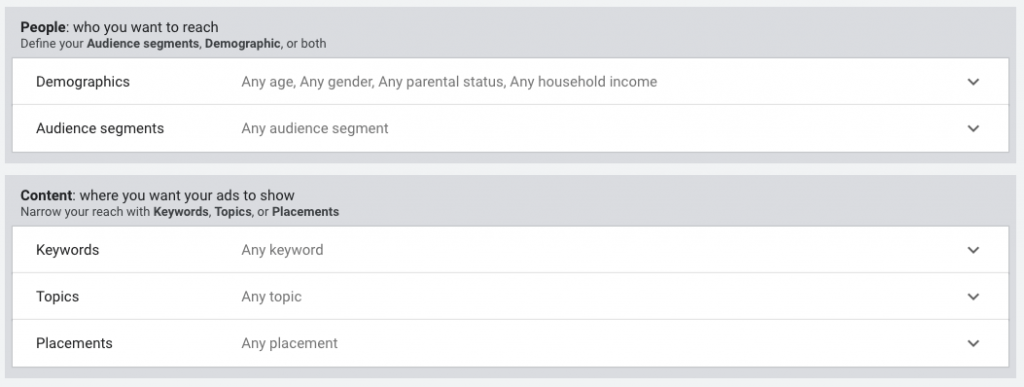
You can target by keywords, topics, placements, audience and segments for the most part.
If you want, you can layer targeting but be careful not to do this too much.
It all comes down to how well you know your audience.

The Ad
Now this is where the elements of a successful in feed video ad become more apparent.
The first thing is to choose a thumbnail.
We have our custom thumbnail and then it will give us three random shots of our video.

You want to make sure that you’ve got your custom thumbnail uploaded already.
Thumbnails are important for all different kinds of YouTube stuff.
You want to make sure that you don’t have too much text.
So that if somebody watches it on a mobile device, they can still read it.
Make sure that it stands out.
The colors are important.
You don’t want to have fake thumbnails or click bait and when people click on it, they’re disappointed.
The Copy
First you have your headline, which you’ve got a hundred characters.
Then your description where you’ve got 35 characters.
And if you want to have a little bit less, you can, but you are limited somewhat.

So you’ve got to be very, very careful.
Now you can’t make wild claims.
You can’t say things like, lose 50 pounds.
You can’t say, it makes X amount of money, because you might get away with it.
I’m not saying it won’t get approved, but a lot of times it won’t and you’re going to be going against the terms of service.
You can say things, like watch how I made or learn how I made.
That’s fine, but you can’t claim that everybody’s going to do it.
Because even if you’ve got a great product that works, not everybody is going to be able to achieve a specific result.
So it’s kind of finding a balance between really good copy and not over hyping it.
Get our In-Feed Video Ad copy guide – No opt-in required.
It’s a skill that you’re going to have to hone over time.
The Bid
This is the maximum amount that you are prepared to pay for somebody to view your video.
It doesn’t mean you will pay this.
It’s the maximum you are prepared to pay.

YouTube video ads are an auction.
You’ve got a lot of people bidding on certain targeting options and YouTube is naturally going to give it to the highest bidder.
Bid high, but budget low.
Because even if you bid a thousand dollars per view, which would be crazy, you’re not going to go over your budget.
So, bid high and budget low.
Between 20 and 30 cents is a starting guide but it’s really niche dependent.
You’ve got to find out what’s going to work for you.
Almost Done
Hit create campaign and give it a little while to be approved.
If you’ve made a mistake or you’ve missed something out, you’ll get a notification which will tell you to go and either fill in something or fix something.
And then it’s a waiting game.
You may have to wait, like I said, you could wait a couple of hours.
You could end up waiting two or three days for it to get approved.
It really is out of your hands.

If your ad is not delivering, it means you’ve either got to bid more, increase your bid, or you’ve got to broaden your targeting.
If you spend all of your money right away, then maybe you need to try and narrow your targeting and lessen your bid.
But you don’t know any of this stuff until your ad is running.
Things To Be careful Of
When you do run these kind of ads for the first time, don’t have a home run mentality.
You’ve got to get data and then tweak the data so that you can then hone your campaign.
Also, be aware that you are going to be putting yourself out there in front of a bunch of people that don’t know who you are, unless you just stick to remarketing.
And because of that, people are going to dislike your video.
Even though they’ve removed the dislike count, people are still going to dislike it.
You are going to get trolls.
People might be quite abusive.
You can delete these comments of course, and you can block people, but don’t take it to heart, but just be aware that that is going to happen.
Just kind of delete, block, move on.
Finally, Google often recommends things during the set up.
My advice is to ignore these tips.
They are designed to get you to spend more money, not to better your results.
Over The Shoulder Video Ads Tutorial
In-Feed Video Ads: Final Words
In-feed video ads, formerly discovery ads are quite simple to set up.
They are great for:
- getting more brand awareness
- growing a Youtube channel
- offering value by teaching things in depth
- getting people to register for a live training or webinar
And while, like all paid ads, you’ll need to test and tweak, they are worthing looking into if your target audience is on Youtube.
If you would like to learn more about these ads along with all aspects of video, then check out our Video Marketing Insider membership.